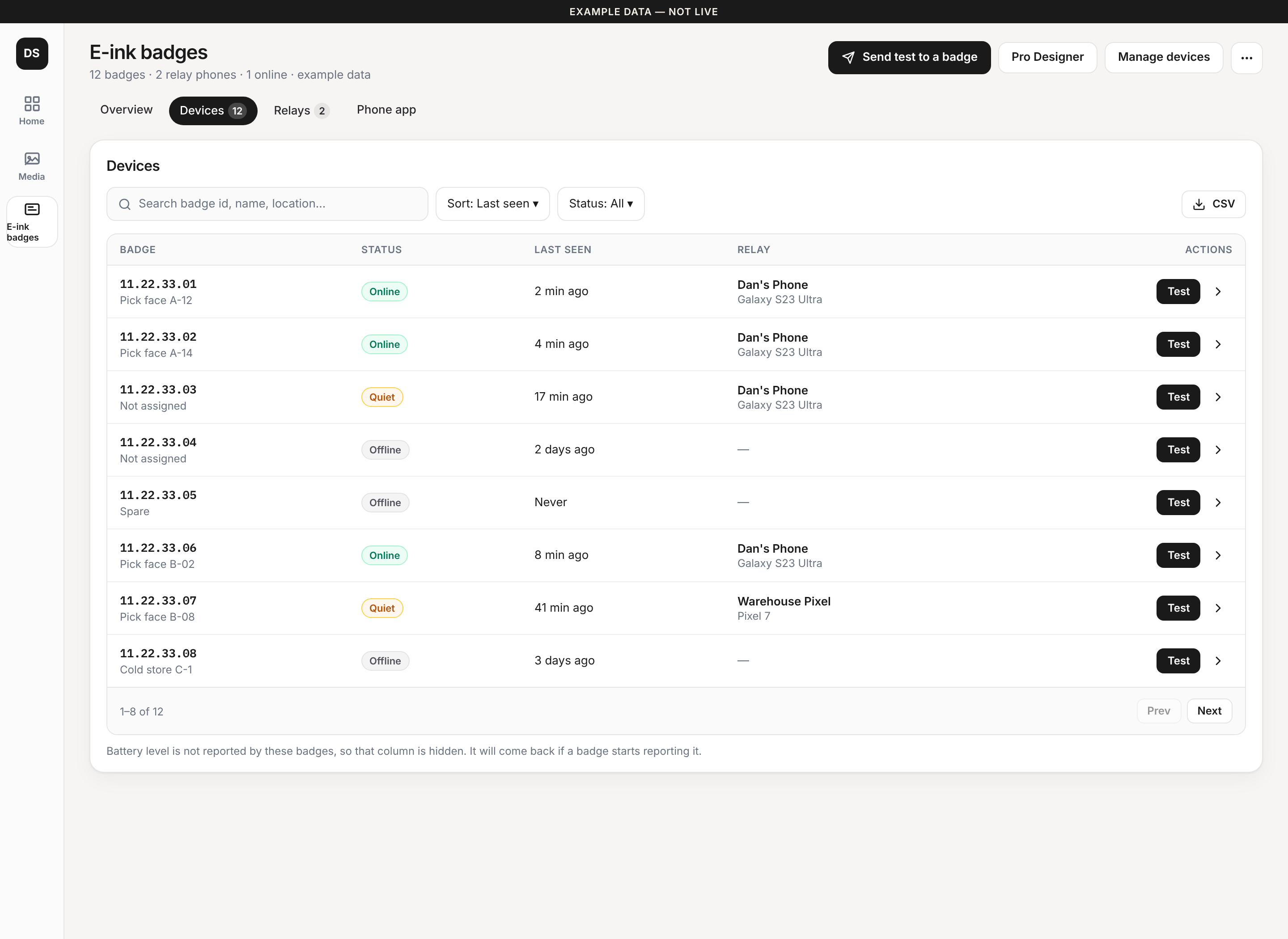
Devices tab
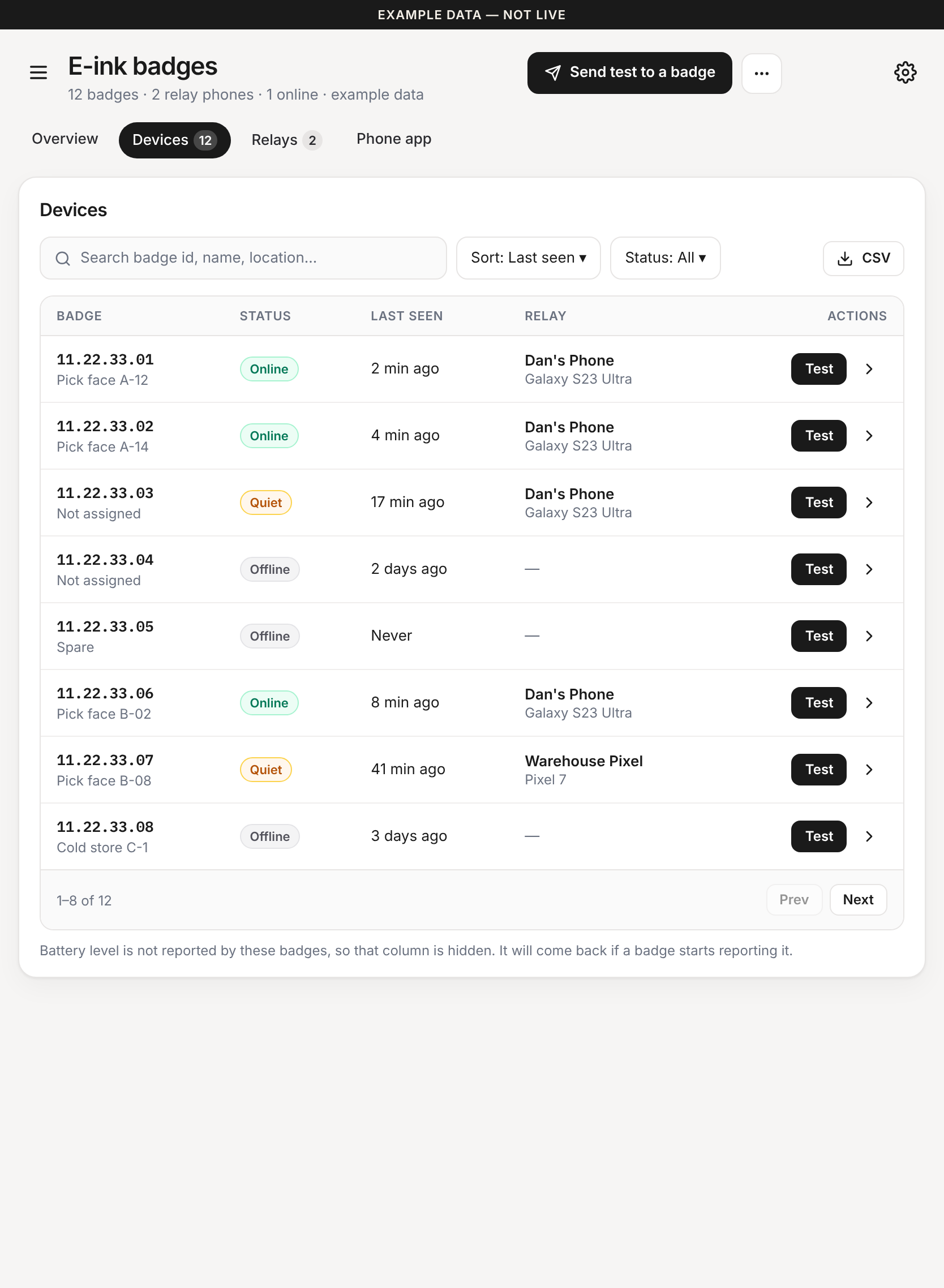
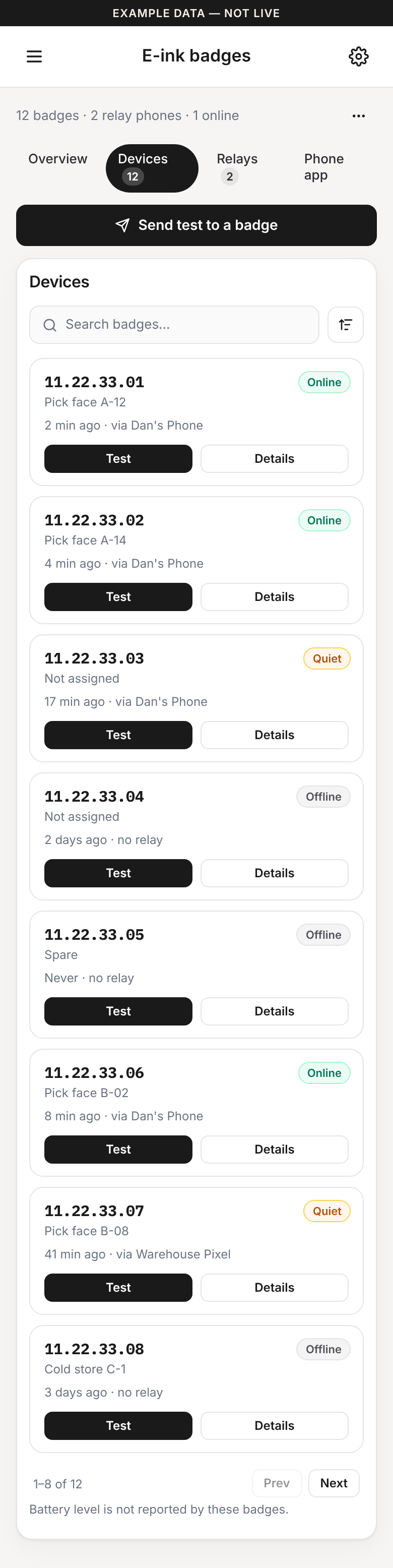
Search, sort, CSV and pagination stay. The badge id is shown once, the relay name is not duplicated, pagination sits under the last row, and the empty battery column is hidden with a note.
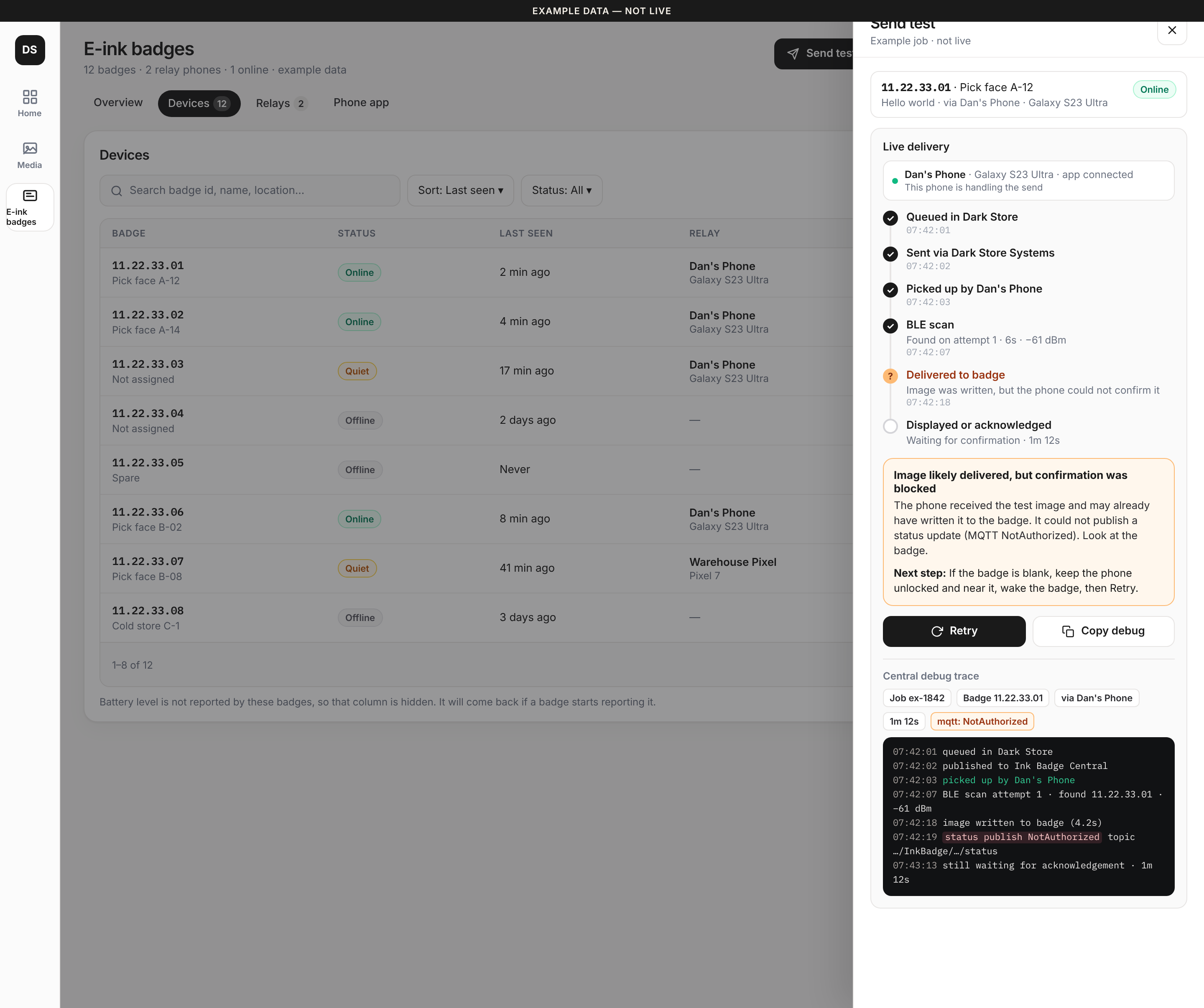
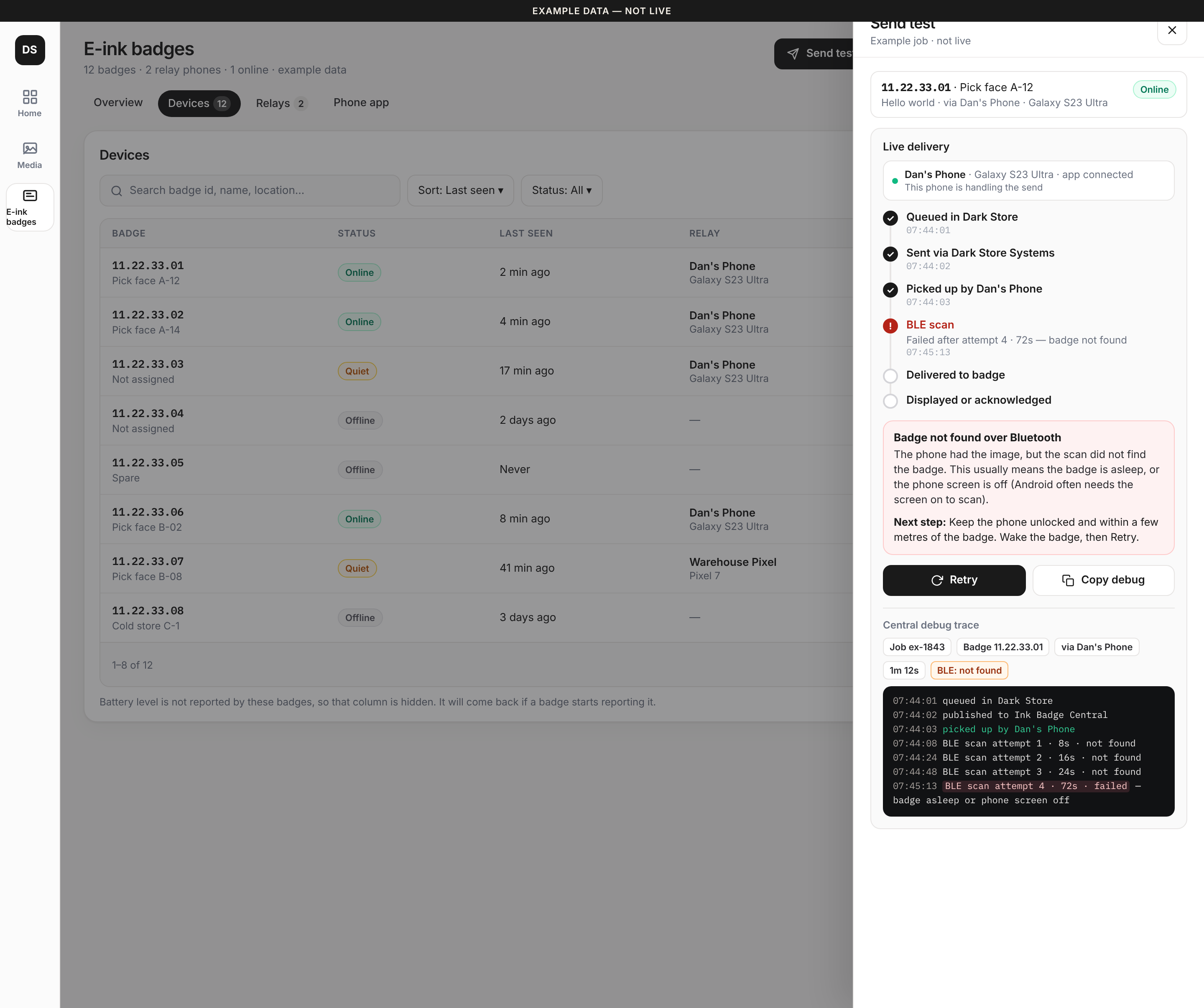
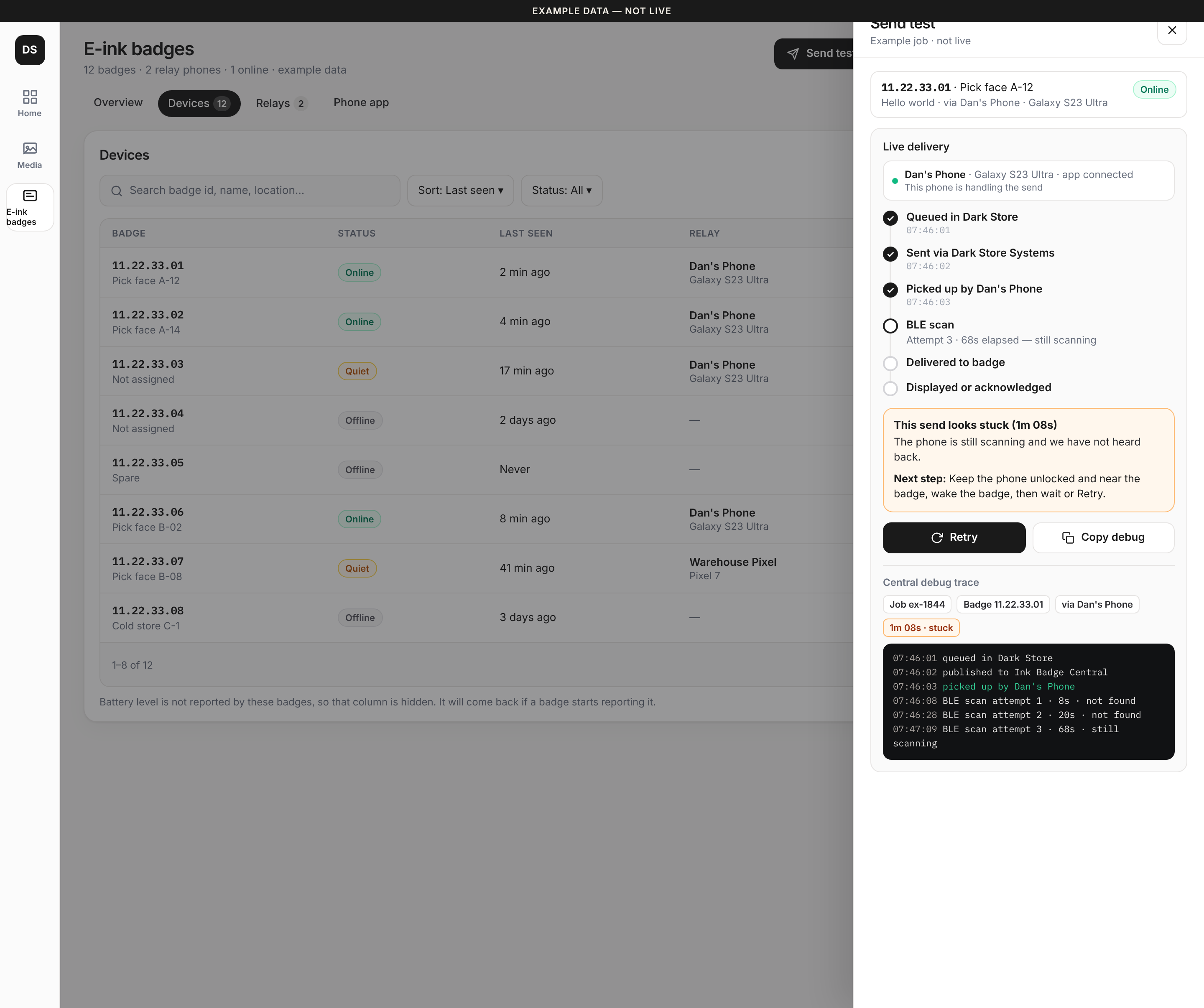
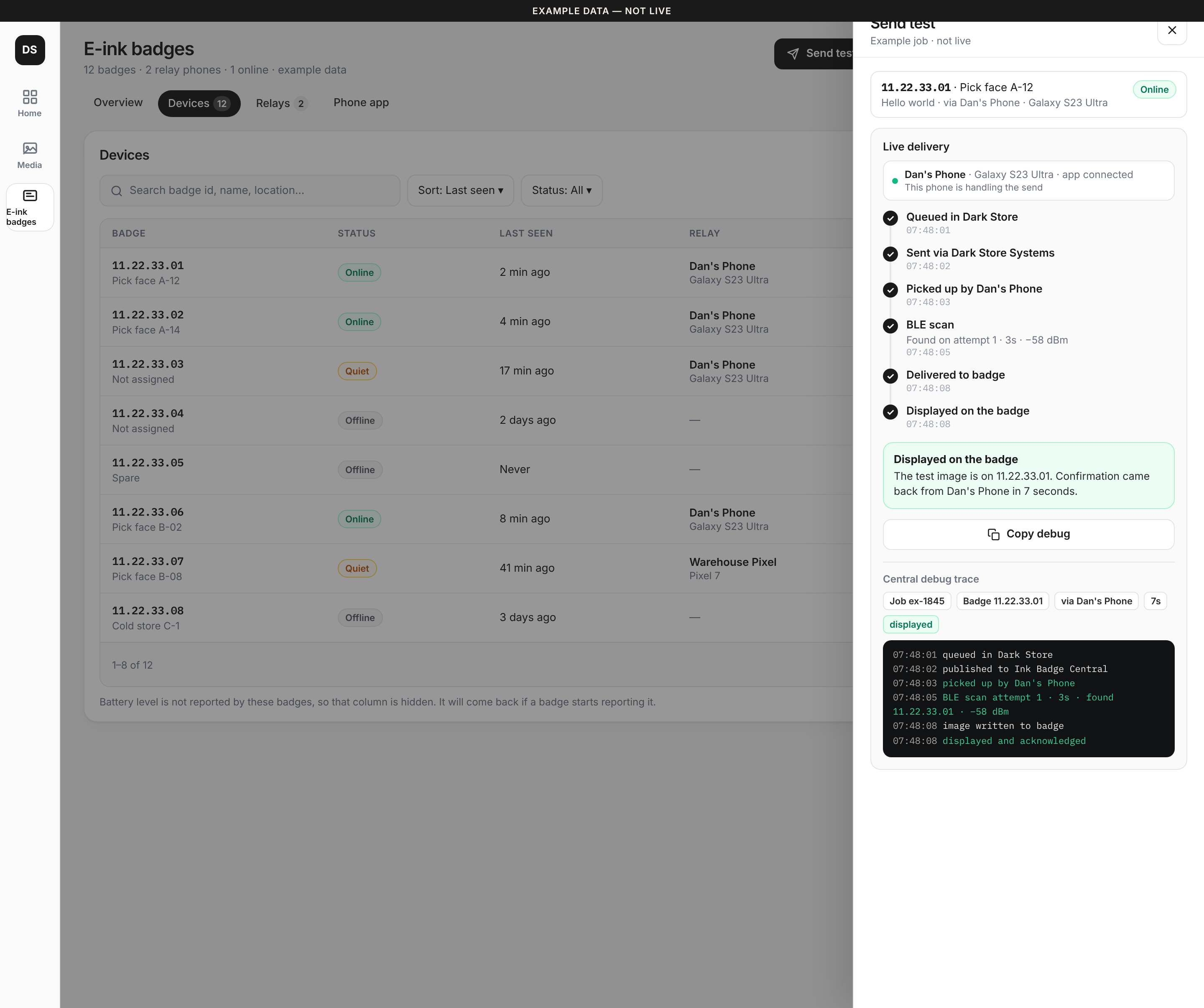
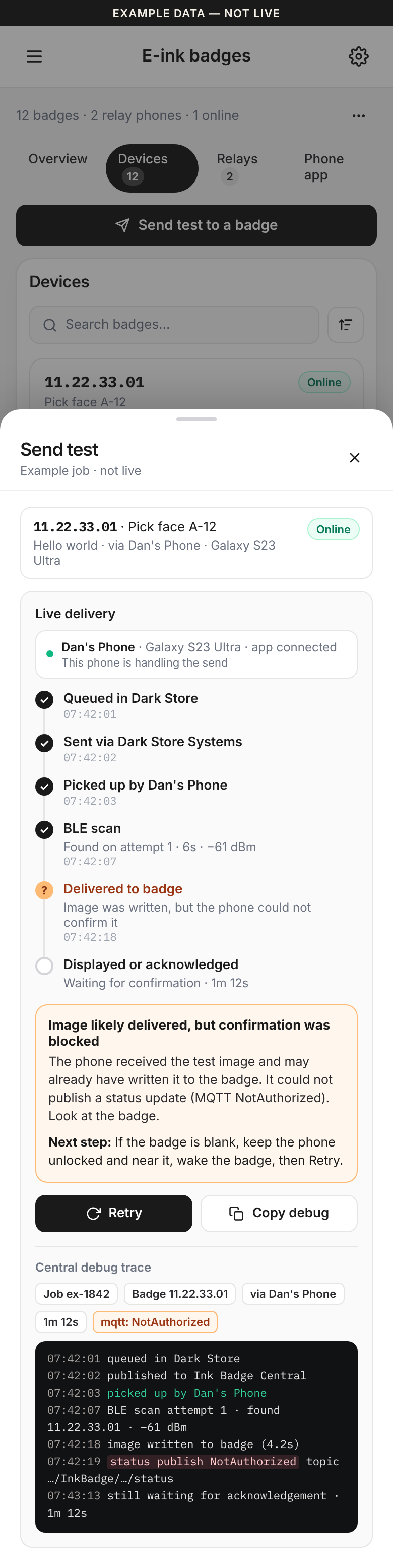
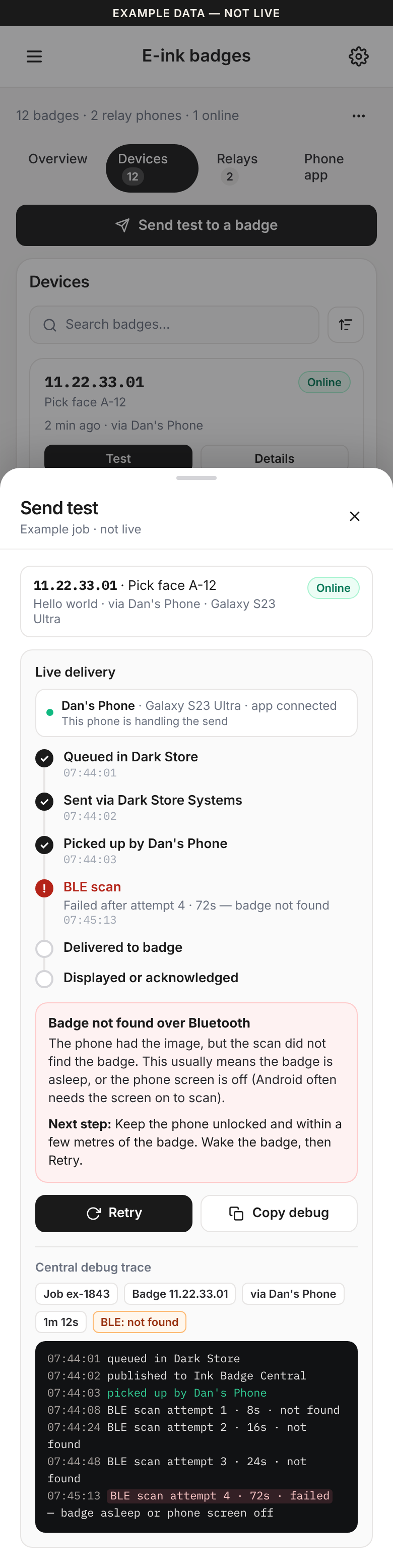
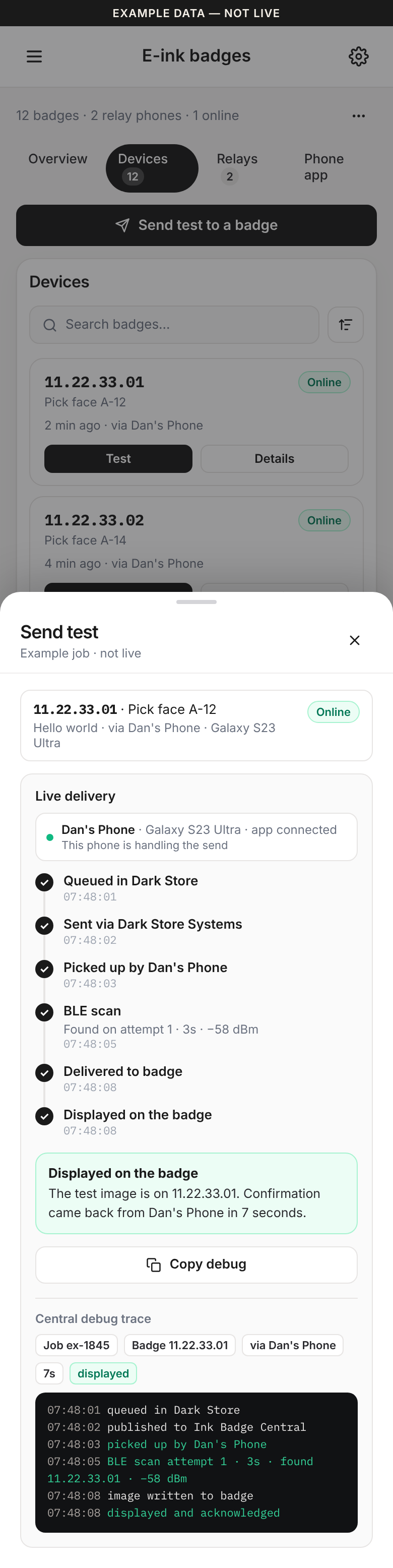
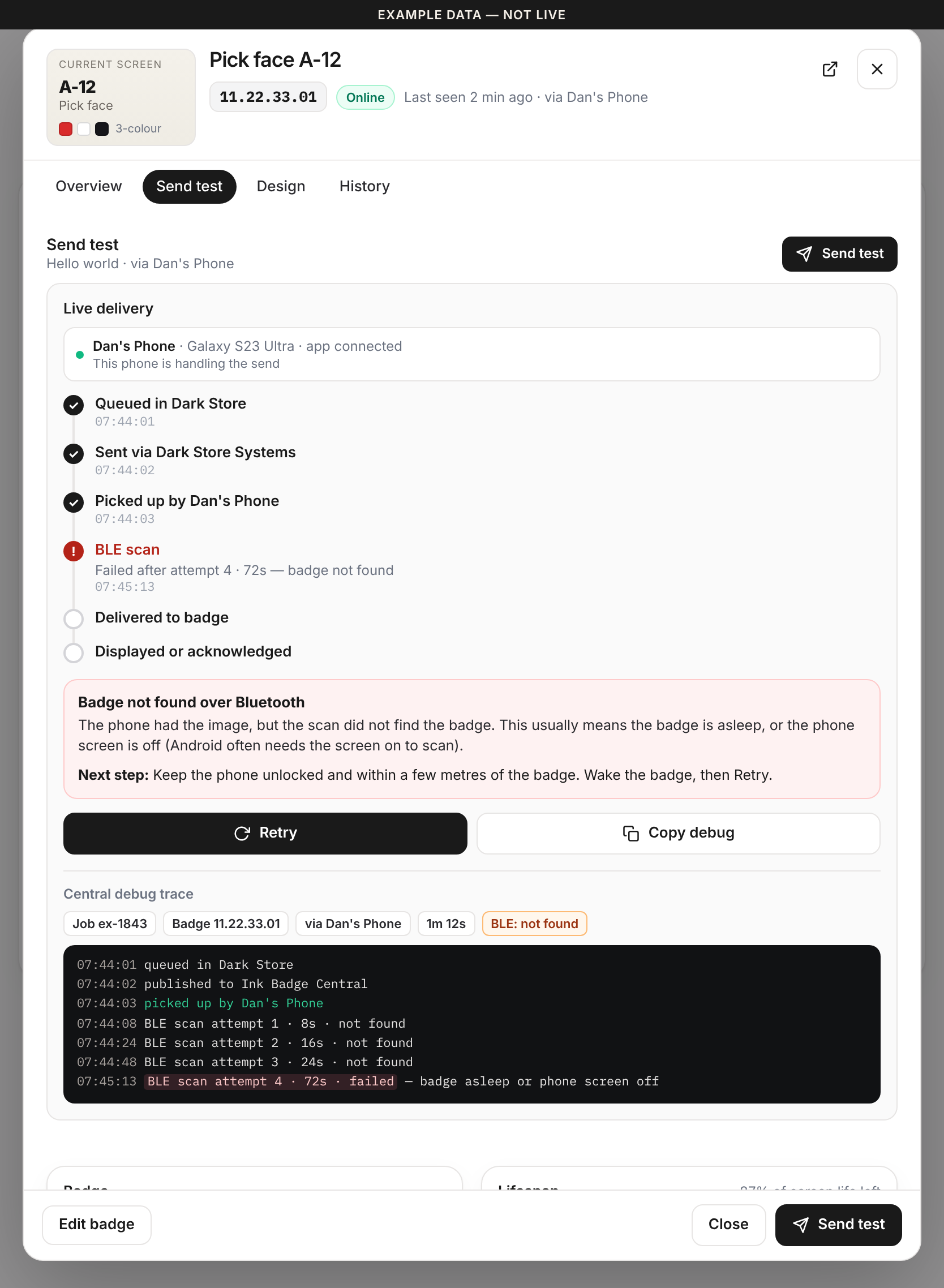
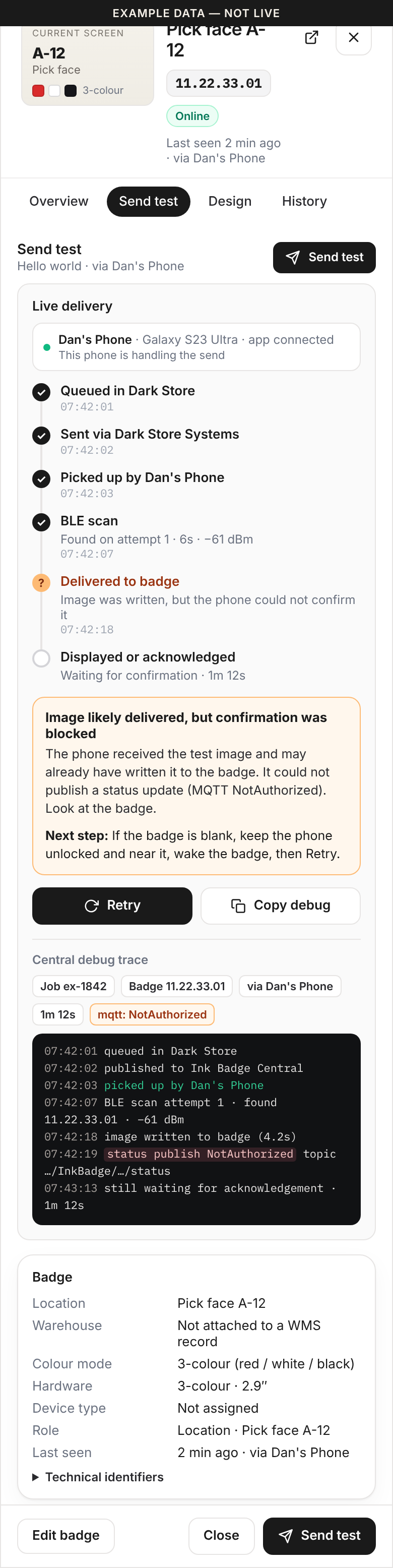
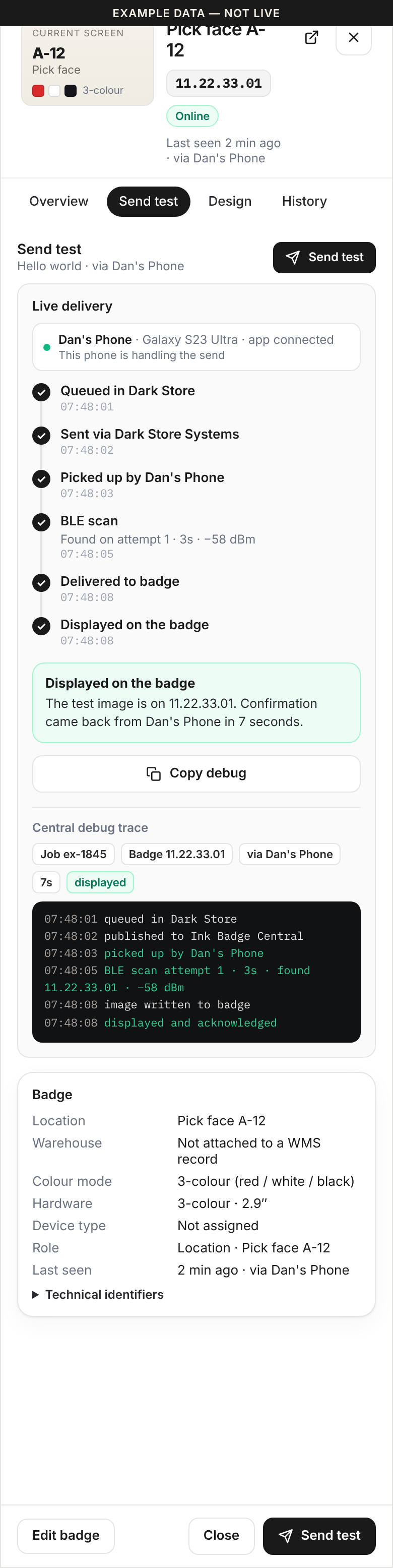
Send test — web admin
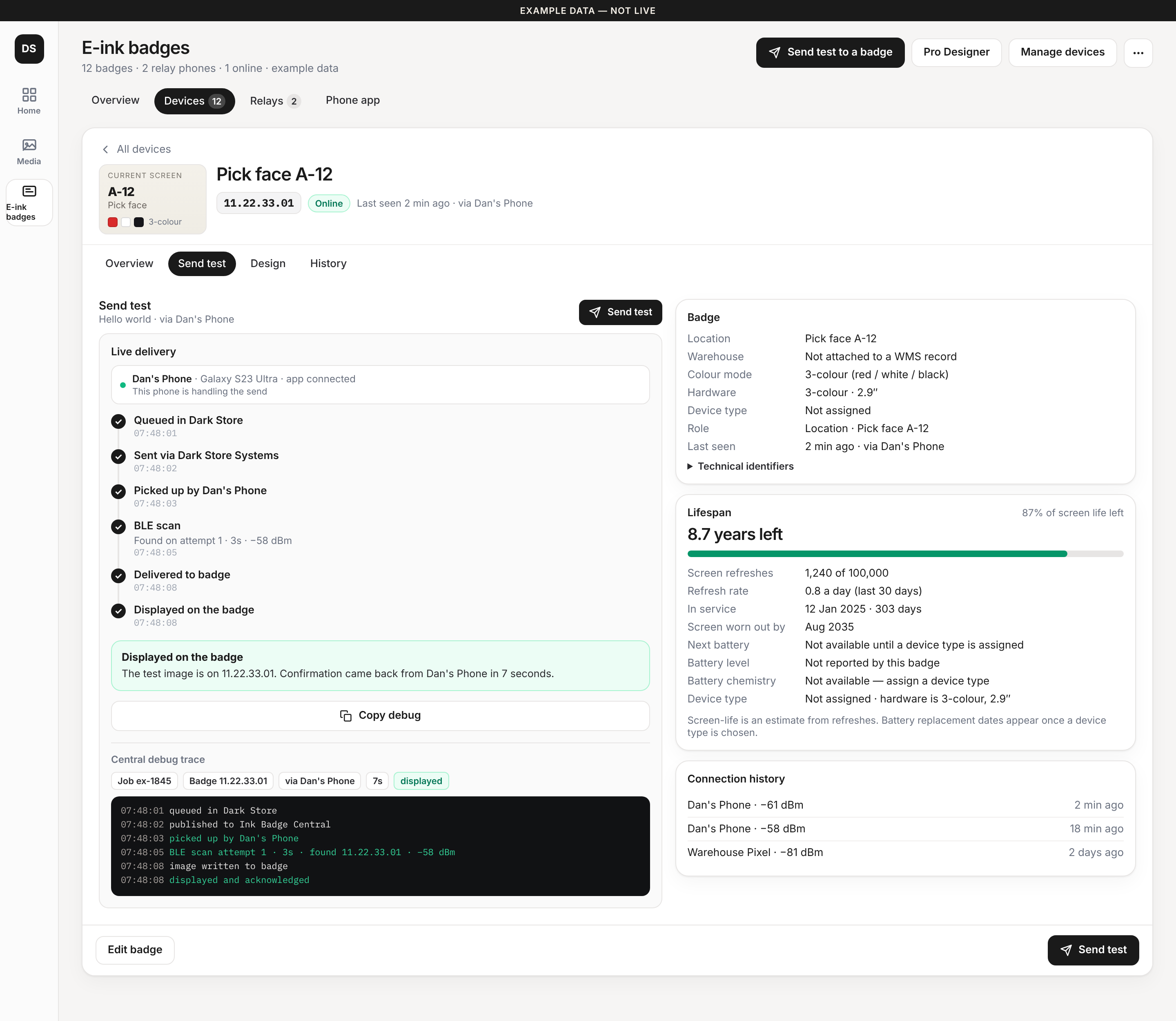
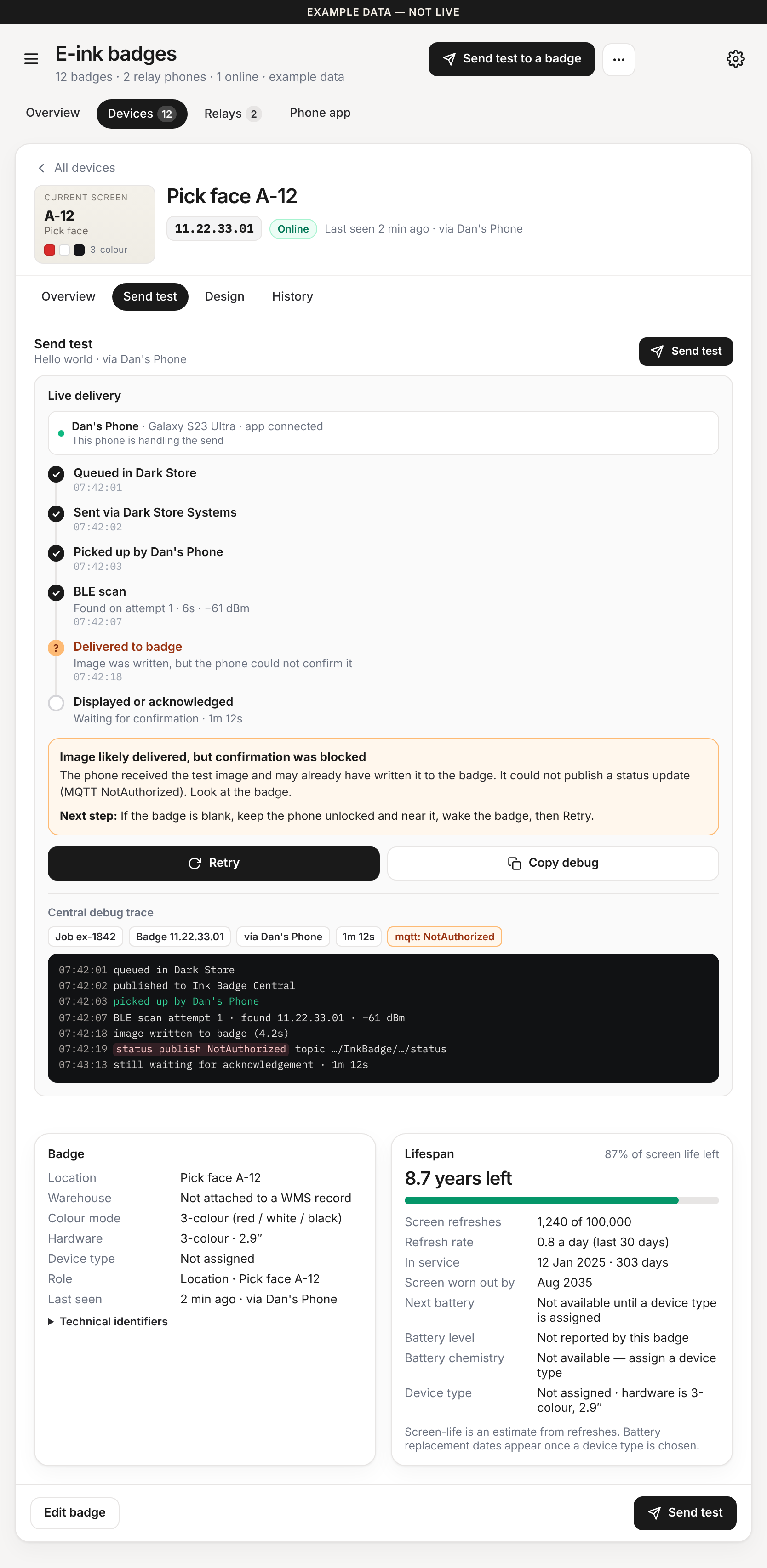
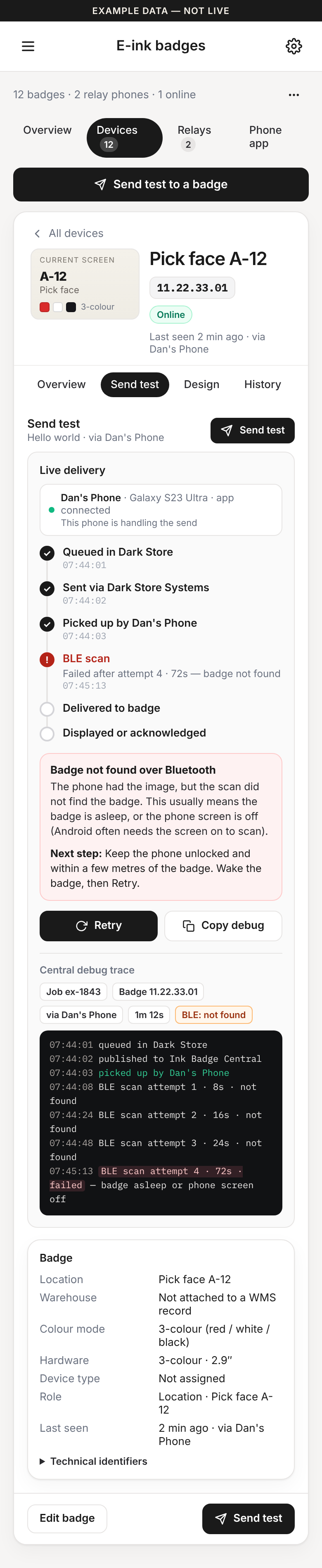
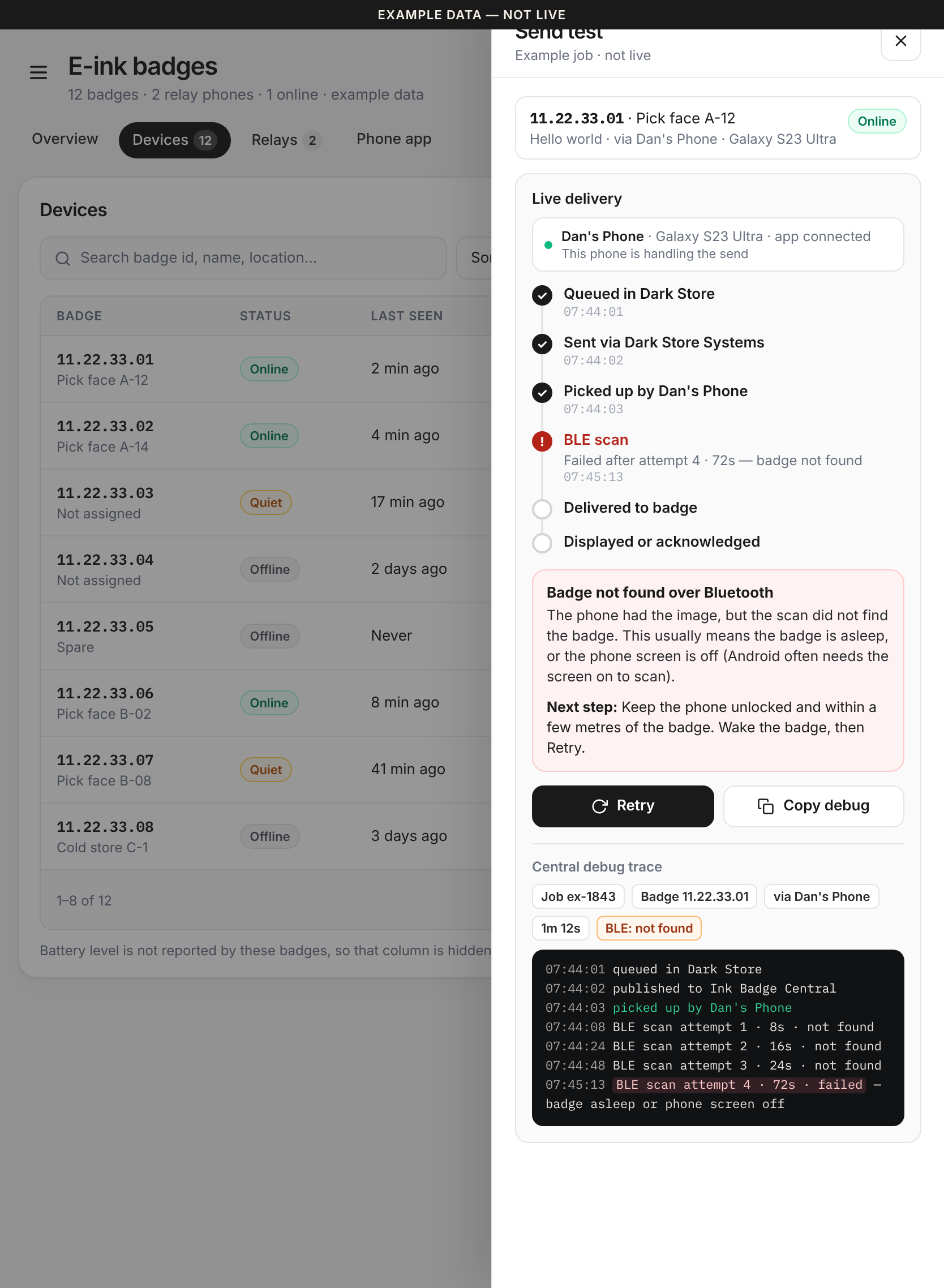
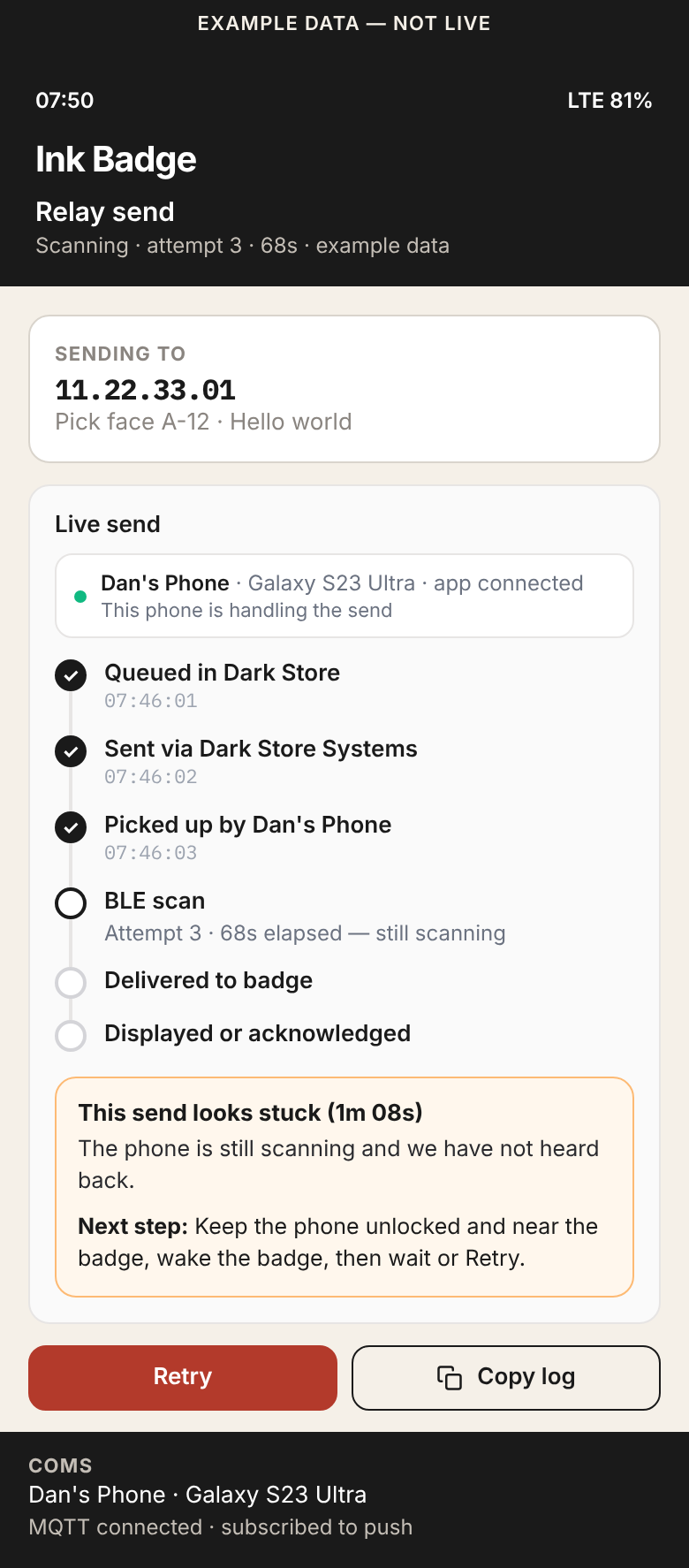
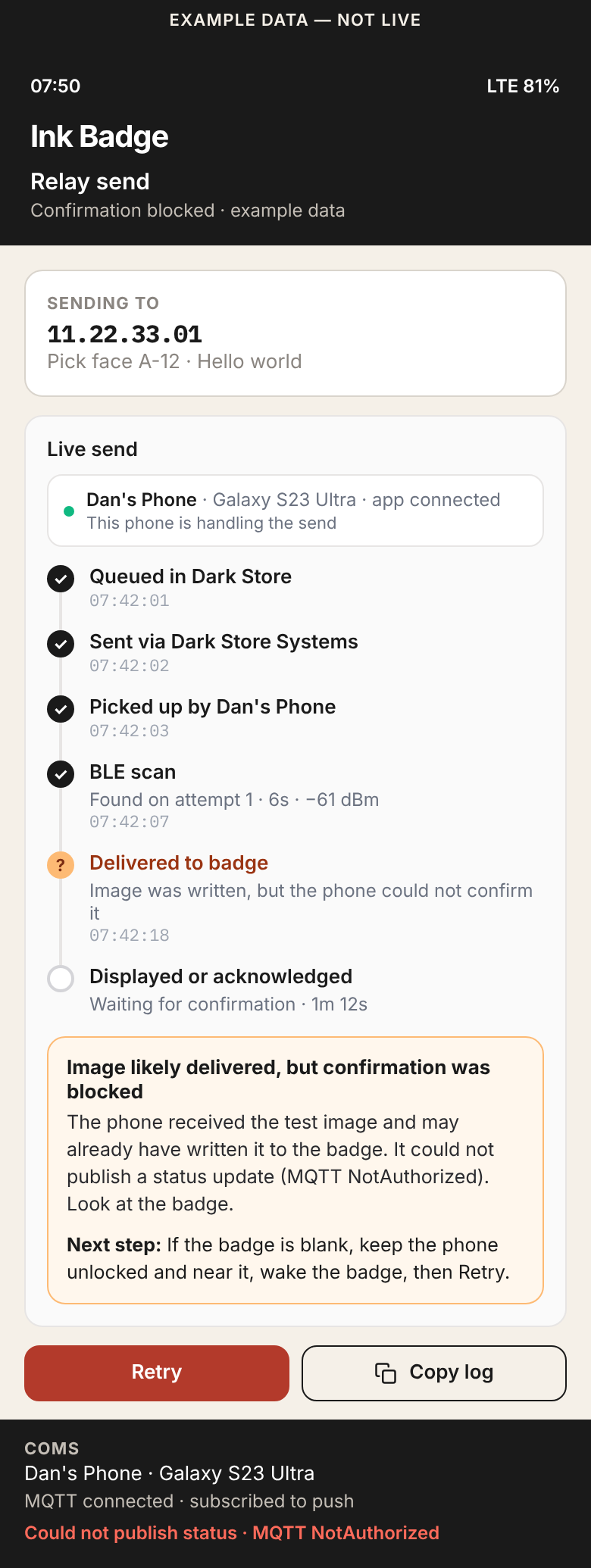
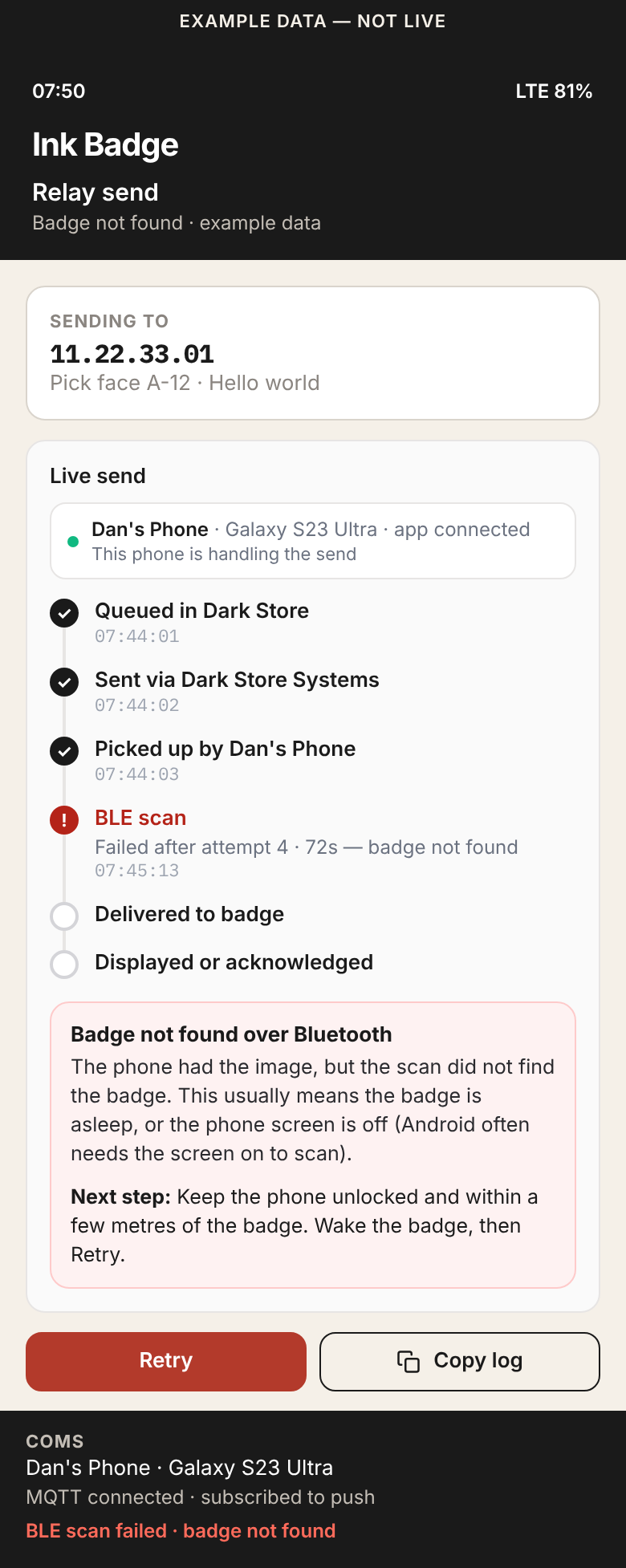
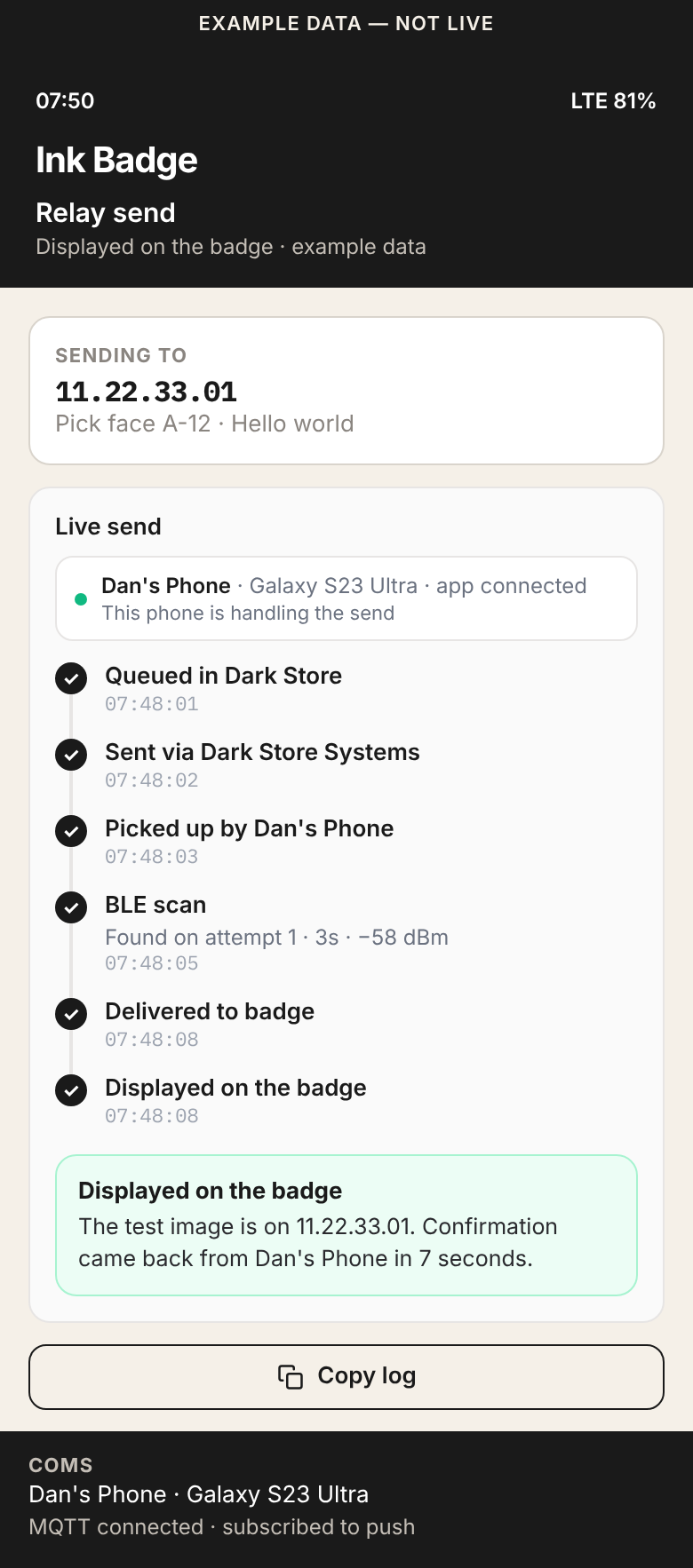
Live timeline with BLE attempt and elapsed time, which phone is handling the job, a stuck flag after about 60s, Retry, and one-tap Copy debug. Three states from this morning’s failure, plus a mid-scan stuck state.
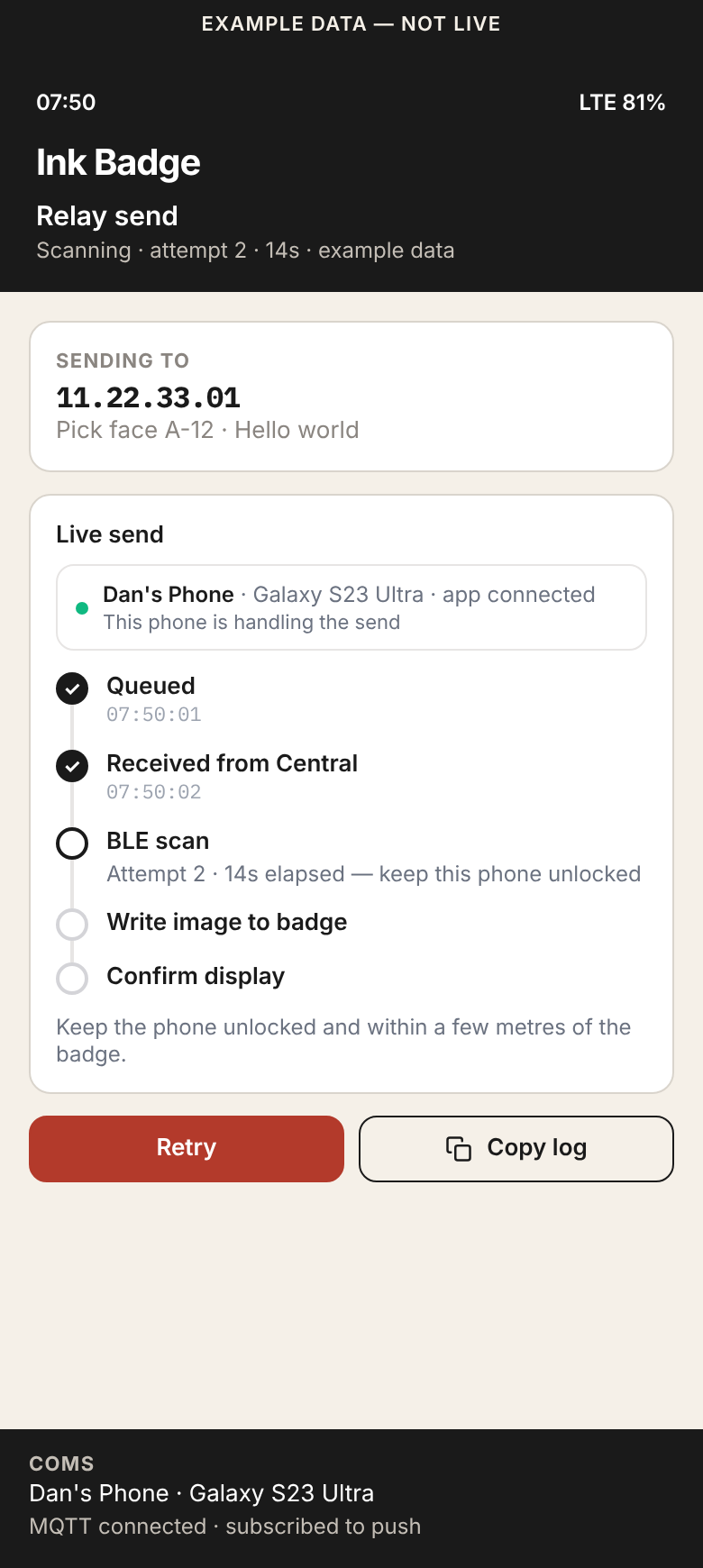
Ink Badge phone app
Same states on the relay phone, using the Ink Badge cream / charcoal / red brand. Source: the MAUI Ink Badge app (not in the Kiwi web repo).
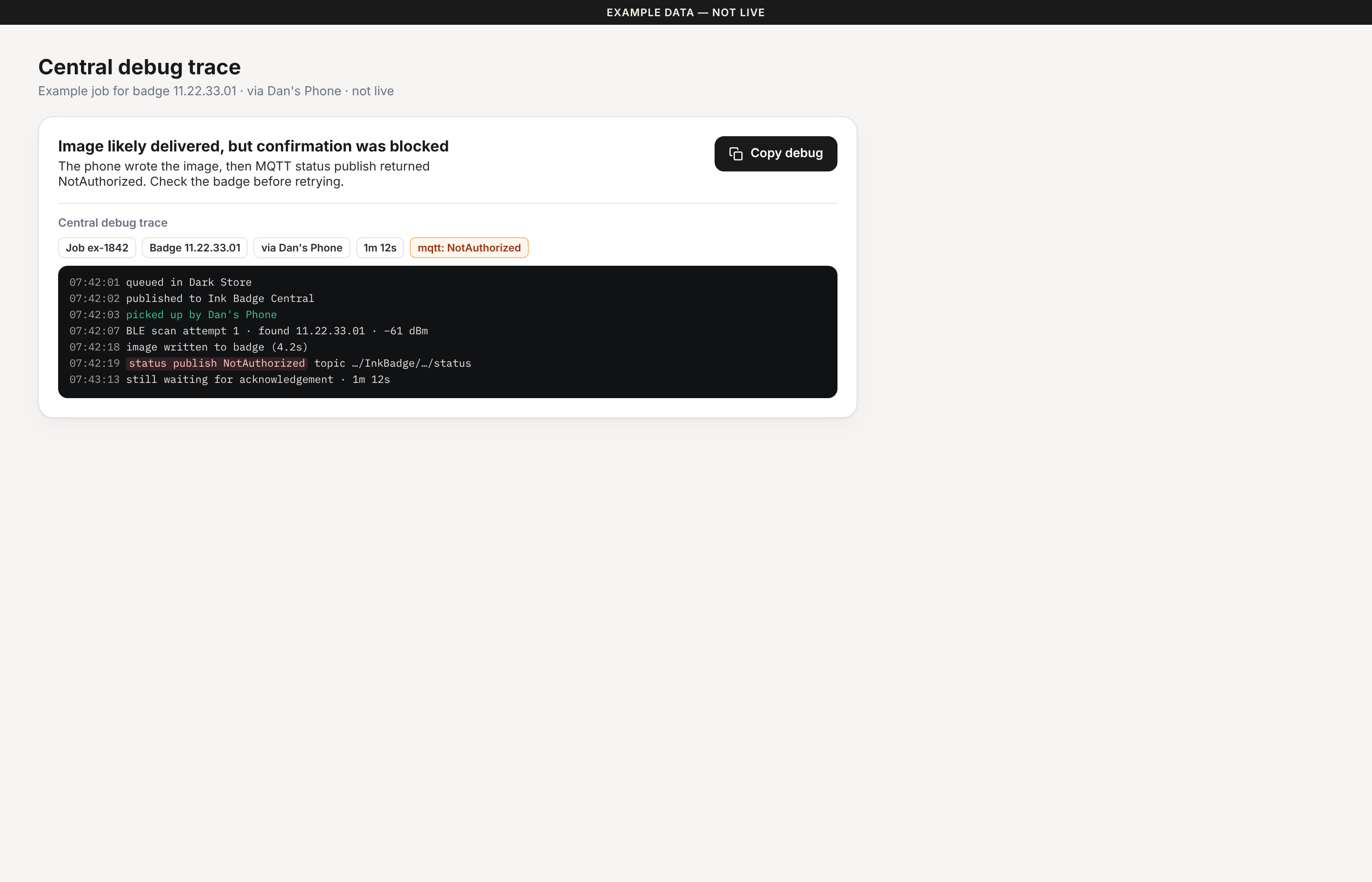
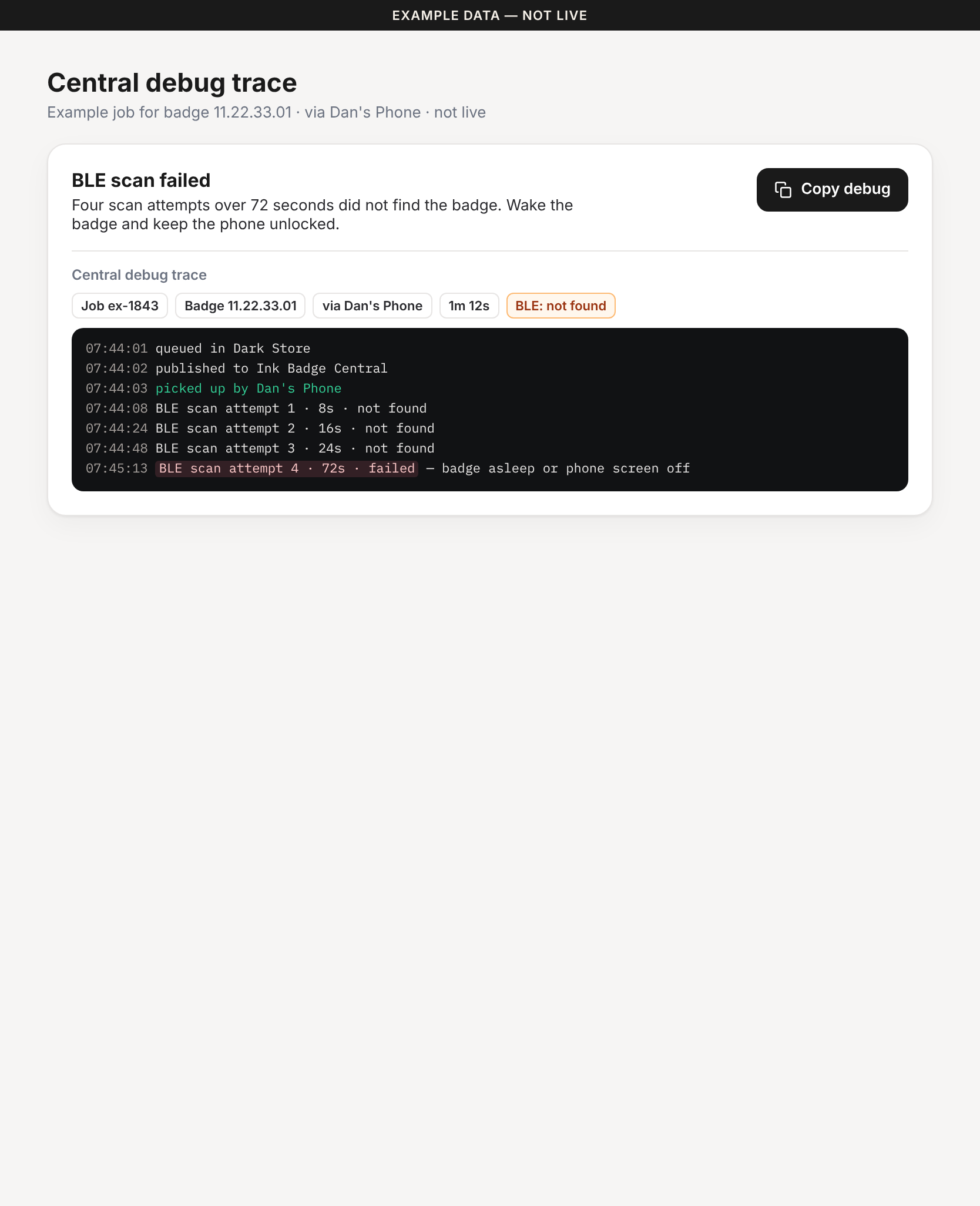
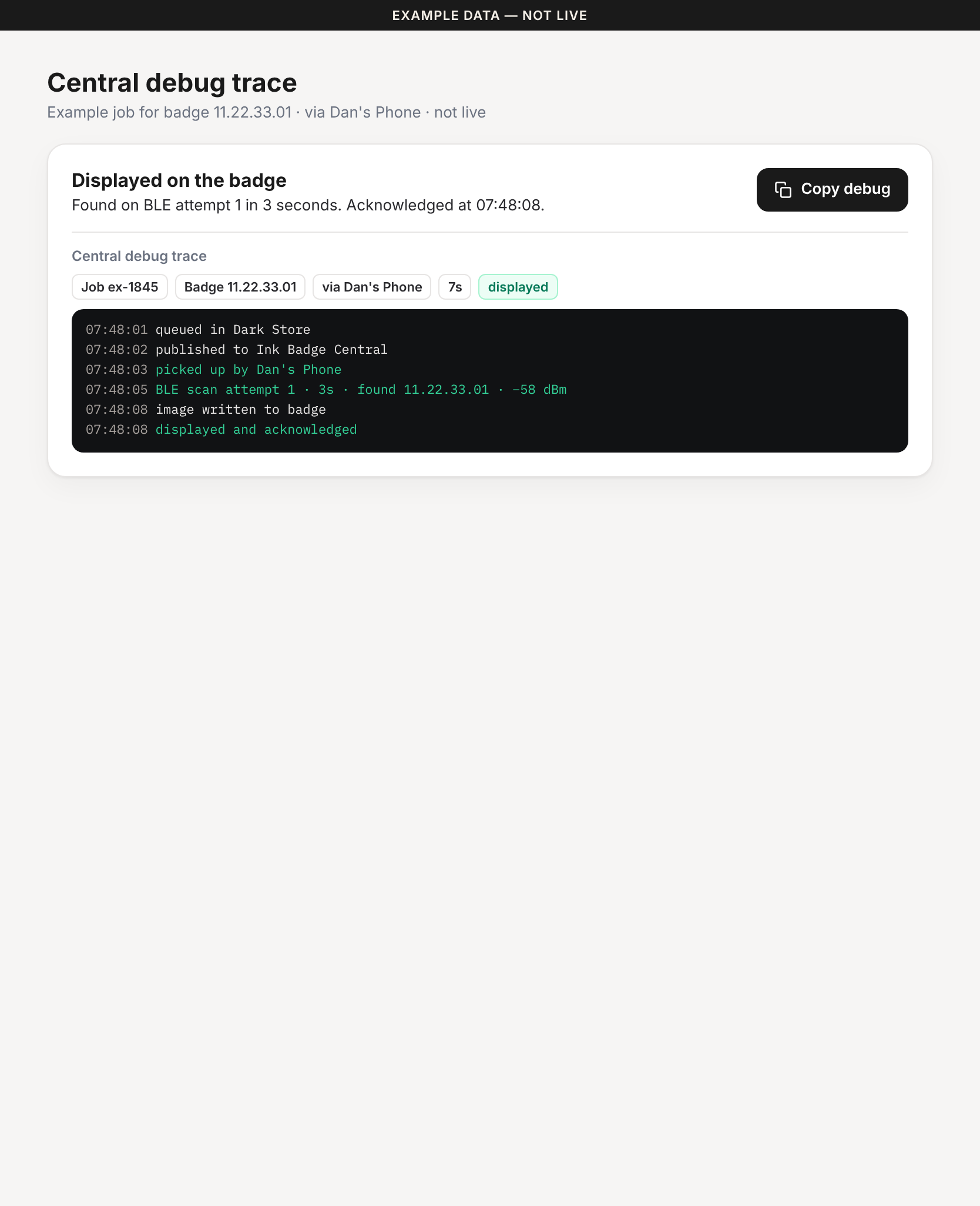
Central debug trace
A human summary first, then a scannable log with the error highlighted, and a large Copy debug button.
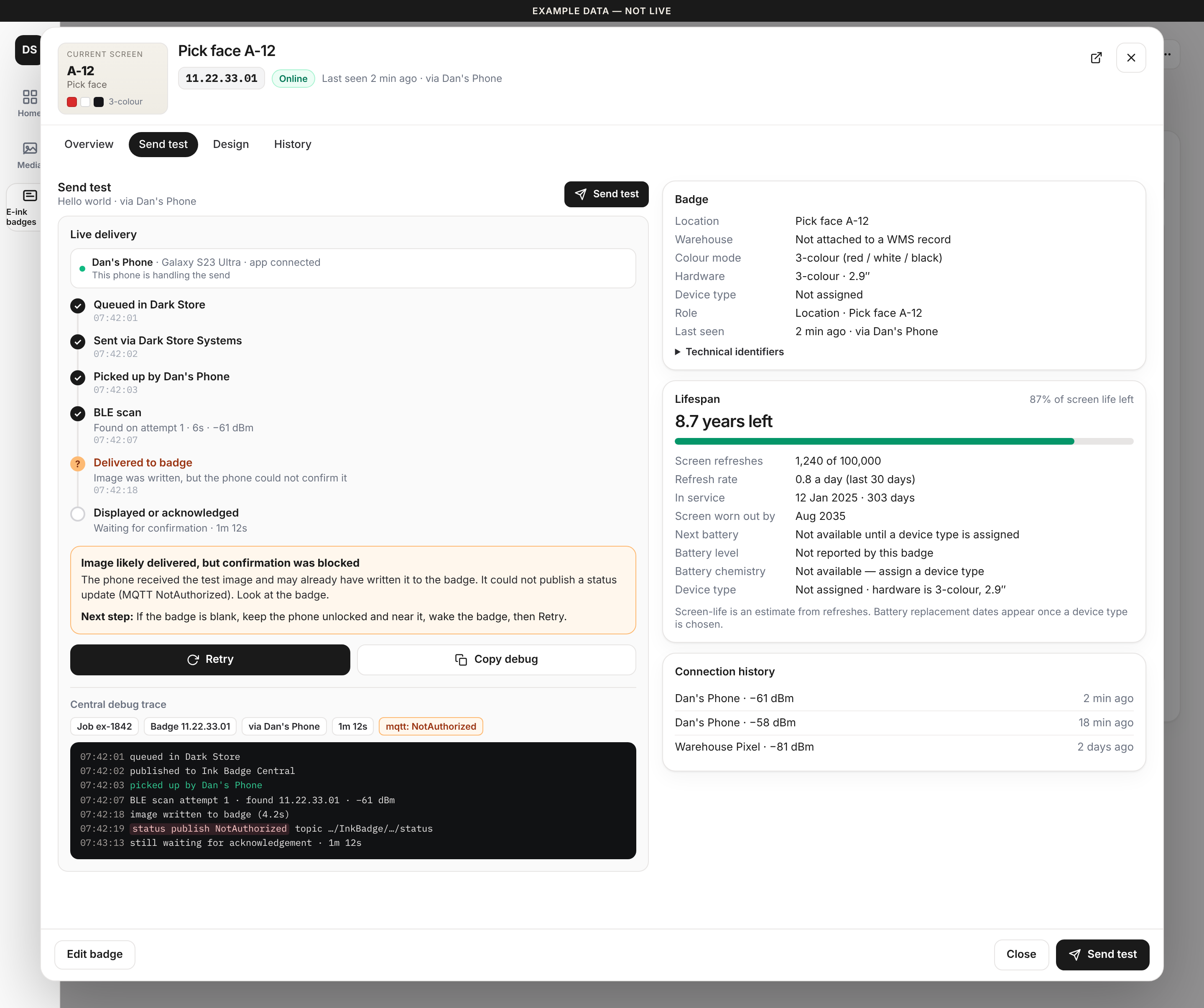
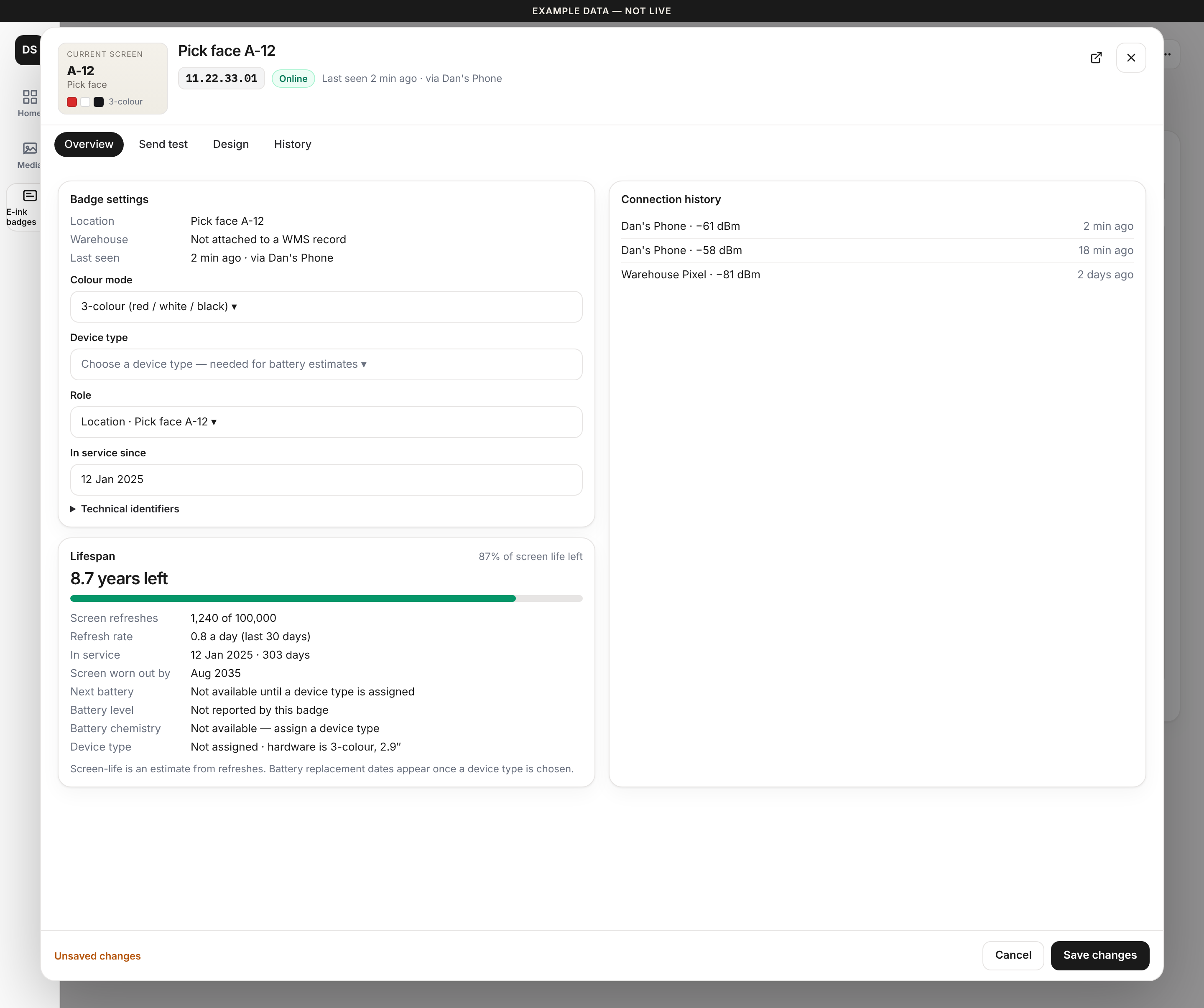
Badge detail · modal
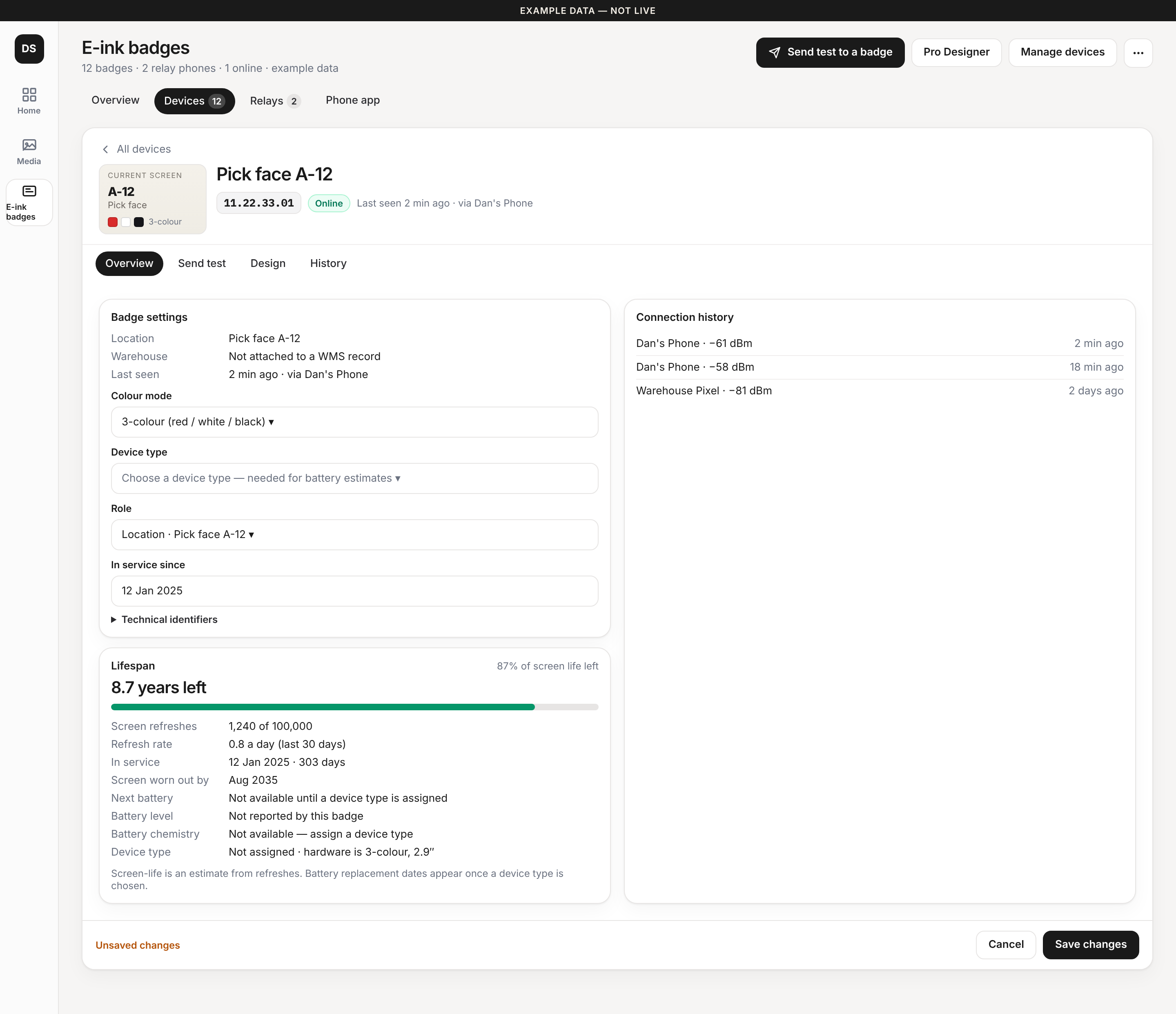
Opened by tapping a row on the Devices tab. The id appears once. Lifespan no longer clips. Empty battery and device type are explained. One Edit / Save changes pattern. The new Send test timeline is folded in.
Badge detail · full page
Opened from the open-in-new icon next to the id. Same layout as the modal, with a back link to all devices and more room.